 111
111 2
2 3
3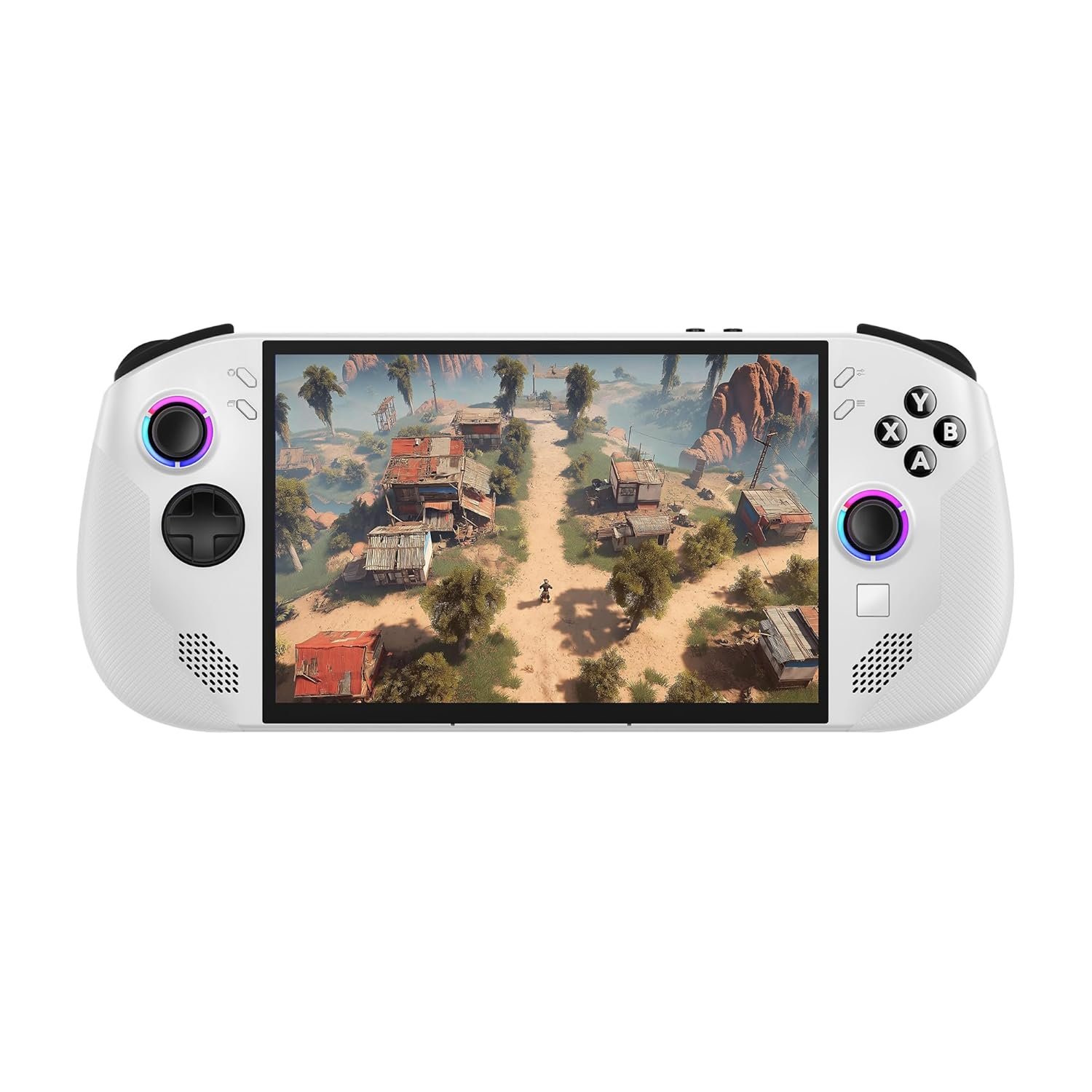
Portable gaming has evolved significantly over the last few years. Once limited to traditional handheld consoles, the category now includes powerful Windows-based gaming devices capable of running modern PC titles while maintaining the convenience of gaming on the go. These systems combine desktop-inspired hardware with portable form factors, giving users access to large gaming libraries without being tied to a desk.
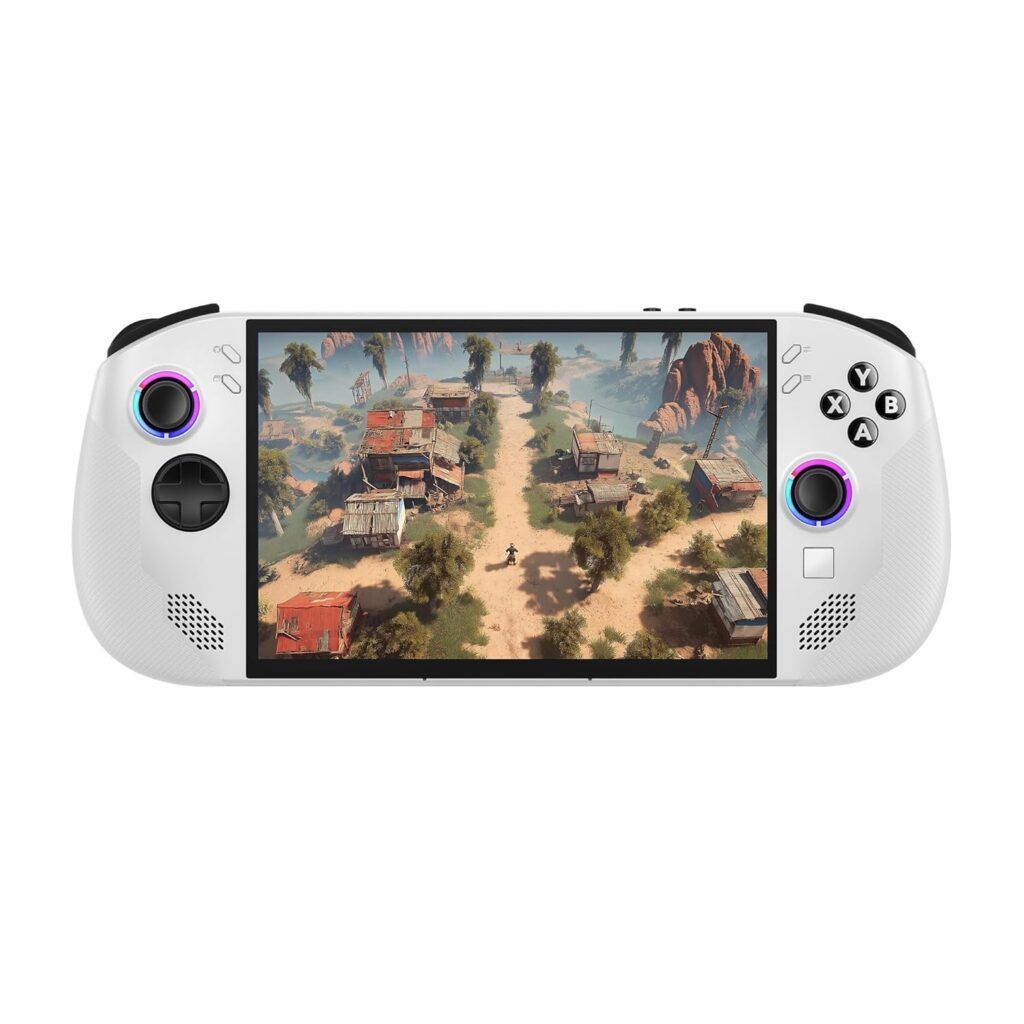
The Lenovo Legion Go S (2025) represents Lenovo’s continued investment in handheld PC gaming. Built around the AMD Ryzen™ Z2 Go processor, integrated AMD Radeon graphics, an 8-inch PureSight IPS display, and a 120Hz refresh rate, the device aims to balance performance, portability, and versatility for players who enjoy gaming both at home and while traveling.
Unlike traditional gaming consoles that operate within a closed ecosystem, Windows-powered handhelds offer flexibility beyond gaming. They can run PC applications, stream content, browse the web, connect to external displays, and access multiple gaming platforms through one device.
This guide explores the Lenovo Legion Go S in detail, covering its hardware, display technology, processor, graphics capabilities, storage, connectivity, software ecosystem, and the types of users who may benefit from this style of handheld gaming computer.
The Legion Go S belongs to a newer generation of handheld gaming PCs. Rather than functioning solely as a gaming console, it serves as a compact Windows computer designed around gaming workloads.
Its compact design makes it suitable for:
The device combines laptop-class architecture with controller-style ergonomics, allowing players to enjoy PC gaming without carrying a full gaming notebook.
Gaming handhelds have become increasingly capable thanks to advances in processor efficiency and integrated graphics technology.
Unlike earlier portable devices that relied on simplified hardware, modern handheld PCs now include:
This combination enables access to large PC gaming libraries while maintaining portability.
At the heart of the Legion Go S is the AMD Ryzen™ Z2 Go, a processor specifically designed for portable gaming devices.
Unlike standard desktop processors, chips in this category prioritize:
These characteristics help handheld systems maintain consistent gaming performance within compact cooling solutions.
The processor can efficiently handle:
The Legion Go S uses integrated AMD Radeon graphics instead of a dedicated graphics card.
Integrated graphics have improved dramatically in recent years, particularly through AMD’s RDNA architecture.
Benefits include:
Without a dedicated GPU, overall energy usage can remain lower, helping portable devices balance performance with battery life.
Compact handheld systems require efficient cooling. Integrated graphics help simplify thermal design while maintaining respectable gaming capability.
Many PC titles support integrated Radeon graphics through adjustable graphics settings and scalable performance options.
One of the standout hardware features is Lenovo’s 8-inch PureSight IPS display.
An 8-inch screen strikes a balance between immersion and portability.
Compared to smaller handheld displays, it offers:
The display size also makes strategy games, RPGs, and open-world titles easier to navigate.
IPS (In-Plane Switching) displays remain popular due to their balanced image quality.
Key advantages include:
Colors remain relatively consistent when viewed from different positions.
This is useful when:
IPS panels typically deliver natural-looking colors suitable for gaming, media consumption, and everyday computing.
Text generally appears sharp, making Windows applications easier to use.
Refresh rate plays an important role in perceived smoothness.
The Legion Go S supports a 120Hz display, allowing the screen to update up to 120 times per second.
Potential benefits include:
Games capable of producing higher frame rates may benefit from the additional refresh headroom.
Even outside gaming, everyday interactions often feel more responsive.
Unlike dedicated gaming consoles, Windows handhelds provide access to numerous software ecosystems.
Users may install:
This flexibility allows one device to perform multiple roles beyond gaming.
The Lenovo Legion Go S includes access to PC Game Pass, introducing users to a subscription-based game library.
Depending on regional availability and subscription terms, players may access a rotating catalog spanning various genres.
Examples of game categories often available include:
For new handheld owners, a game subscription can help explore different titles without purchasing each one individually.
Memory plays an important role in gaming performance and overall system responsiveness.
The Legion Go S includes 16GB of RAM, a capacity commonly found in many modern gaming laptops.
Benefits include:
Multiple applications can remain open simultaneously.
Examples include:
Modern games increasingly benefit from larger memory capacities, particularly open-world titles with complex assets.
Windows frequently runs multiple background services.
Additional memory allows these services to coexist more comfortably with gaming workloads.
Storage affects far more than simple capacity.
Solid-state drives offer several performance benefits.
These include:
A 512GB SSD provides space for Windows, applications, and a selection of installed games, though actual usable capacity is lower after system software and formatting.
Modern PC games can vary greatly in installation size.
To make efficient use of available storage:
Good storage habits can help maintain system responsiveness over time.
The Glacier White finish gives the Legion Go S a clean, modern appearance that stands out from the darker color schemes commonly associated with gaming hardware.
The lighter exterior can appeal to users who prefer a minimalist aesthetic while still reflecting the Legion gaming identity. Combined with its ergonomic shape and integrated controls, the design emphasizes both visual appeal and practical comfort during extended gaming sessions.
One of the defining characteristics of any handheld gaming device is its ergonomics. Since players often hold the system for extended periods, comfort plays a significant role in the overall experience.
The Lenovo Legion Go S features an integrated controller layout that places essential gaming inputs within easy reach. The design aims to provide a balanced grip while distributing the device’s weight across both hands, helping reduce fatigue during longer gaming sessions.
Common ergonomic features found in modern handheld gaming PCs include:
While hand size and personal preference vary, ergonomic considerations can contribute to a more comfortable gaming experience across different game genres.
The integrated controls allow the Legion Go S to function much like a traditional gaming controller while maintaining the flexibility of a Windows PC.
Typical control elements include:
These controls support a wide range of PC games that offer native controller compatibility.
Genres that often benefit from controller input include:
Many Windows games automatically detect compatible controllers, allowing users to begin playing with minimal setup.
Unlike dedicated gaming consoles with closed ecosystems, the Lenovo Legion Go S operates on Windows, offering access to a broad software library beyond gaming.
This flexibility allows users to switch between entertainment and productivity tasks from a single device.
Examples of common Windows applications include:
For users who occasionally need a compact computer for travel, this versatility can be a valuable advantage.
One of the strengths of Windows-based gaming handhelds is compatibility with several digital game storefronts and launchers.
Depending on software compatibility and licensing requirements, users may access libraries through platforms such as:
This multi-platform compatibility allows users to organize games from different publishers within a single device.
Cloud gaming has become increasingly popular as internet speeds improve and streaming technologies mature.
Instead of rendering every game locally, cloud gaming services process graphics on remote servers and stream gameplay to the device.
Potential advantages include:
A reliable internet connection remains important for achieving smooth streaming performance.
Wireless networking is essential for modern handheld gaming.
Wi-Fi enables:
Stable wireless performance helps ensure smooth downloads and consistent online gameplay when network conditions permit.
Bluetooth support expands the ways users can interact with the handheld.
Compatible accessories may include:
This flexibility can be useful when transitioning between handheld gaming and desktop-style use.
USB-C has become the standard connection for many portable electronics, offering both convenience and versatility.
Depending on the supported specifications, a USB-C connection may allow:
For users who wish to connect the handheld to a larger display or workstation setup, USB-C can serve as a central connection point.
Many Windows handheld gaming PCs support output to external monitors or televisions through compatible adapters or docks.
This capability allows users to enjoy games or applications on a larger screen while using external controllers, keyboards, or mice.
Potential use cases include:
Using an external display can also provide additional workspace when multitasking.
Audio contributes significantly to immersion in games, movies, and music.
Built-in speakers provide convenient sound without requiring additional accessories, while headphone support offers a more private listening experience.
Good audio design can enhance:
Many users may also choose dedicated gaming headsets for improved positional audio and voice communication.
The included 512GB SSD offers fast performance, but storage requirements vary depending on the size of installed applications and games.
Modern PC games can range from relatively small independent titles to large open-world experiences that occupy substantial storage space.
Helpful storage practices include:
Maintaining available storage space can help preserve overall system responsiveness.
Battery life on handheld gaming devices depends on several factors, including:
Less demanding applications generally consume less power than graphically intensive games, while adjusting system settings may help optimize battery efficiency during mobile use.
Compact gaming hardware generates heat during demanding workloads.
To maintain stable operation, handheld gaming PCs incorporate cooling systems designed to manage processor temperatures while balancing noise levels and comfort.
Effective thermal management helps support:
Keeping ventilation areas unobstructed and using the device on hard, flat surfaces can assist airflow during prolonged gaming.
The Legion Go S is designed to accommodate a wide variety of gaming genres, each benefiting from the flexibility of portable hardware.
Popular categories include:
Fast-paced gameplay often benefits from responsive controls and smooth display technology.
Integrated analog triggers and high refresh rate displays can enhance the driving experience in supported titles.
Large open worlds, character progression, and lengthy storylines make RPGs well suited to portable play, allowing users to continue adventures while traveling.
Windows compatibility provides access to many classic and modern strategy titles, especially when paired with external peripherals.
Independent games often have modest hardware requirements, making them an excellent fit for handheld gaming devices.
Many simulation experiences can also run comfortably on handheld PCs, offering flexibility for users who enjoy city-building, management, or life simulation titles.
Routine maintenance can help keep portable electronics operating efficiently over time.
General recommendations include:
These simple practices can contribute to reliable day-to-day operation.
It is better described as a Windows-based handheld gaming PC, combining portable gaming hardware with the flexibility of a personal computer.
Compatibility depends on individual software requirements, but Windows-based handheld gaming PCs are capable of running a wide variety of PC titles, from independent games to many modern releases with appropriate settings.
Yes. Since it runs Windows, the device can also support web browsing, media streaming, productivity applications, communication tools, and other compatible software.
A higher refresh rate can provide smoother animations, more fluid scrolling, and improved responsiveness in supported applications and games.
Solid-state drives offer faster boot times, quicker application launches, and reduced loading times compared to traditional hard disk drives.
The Lenovo Legion Go S (2025) reflects the continued evolution of portable PC gaming by combining modern AMD processing technology, integrated Radeon graphics, a vibrant 8-inch PureSight IPS display, and a smooth 120Hz refresh rate into a compact handheld form factor.
Its Windows-based platform extends its capabilities beyond gaming, allowing users to access multiple PC game libraries, productivity applications, cloud gaming services, and multimedia content from a single portable device. Features such as 16GB of memory, 512GB SSD storage, USB-C connectivity, wireless networking, and bundled access to PC Game Pass further contribute to its versatility.
As handheld gaming PCs continue to grow in popularity, devices like the Lenovo Legion Go S demonstrate how compact systems can deliver a flexible computing experience while supporting gaming, entertainment, and everyday tasks. Whether used at home, during travel, or as part of a larger desktop setup, it represents another step in the expanding landscape of portable Windows gaming.